Posts
Squatter 36 - AI Literacy IS Literacy

Welcome to Squatter 36 - AI Literacy IS Literacy Squatter 36 is an anchor issue focused on AI literacy for educators. This Squatter is NOT about putting AI directly in students' hands... yet. It is about preparing ourselves - as educators - to understand, evaluate, and use AI thoughtfully, ethically, and responsibly so we're ready when students DO have access. Inside, you'll find A clear definition of AI literacy Why increased. AI literacy actually leads to better (not more) AI use A side-by-side comparison showing why AI literacy IS literacy Practical mindset shifts for using AI as a thinking partner, not a shortcut Below this Squatter, you'll also find clickable links to free, educator-focused AI literacy training from Microsoft, NEA, and Google. These resources are optional, self-paced, and designed for teachers - not programmers. Take what is useful. Skip what's not! This is about clarity, not compliance. Microsoft - AI for Educators Helps you understand what A...
Squatter 35 — Hallomeme 2.0 👻
Catching Up with The Squatter (Part 3) Finally, we’re caught up with Squatter 35: Hallomeme 2.0 — a Halloween special full of meme-based humor with real teaching hacks underneath. From Drake’s grading face-off to Surprised Pikachu discovering NotebookLM, every meme ties back to making AI + AVID work for teachers. This one might be the most fun to date — a reminder that sometimes the best PD fits on a bathroom wall and makes you laugh while you learn. 📄 Download Squatter 35 (PDF) Which meme in this issue nailed your exact teacher life experience?
Squatter 34 — The Return of the Squat 💪
Catching Up with The Squatter (Part 2) Next in the catch-up series is Squatter 34: Return of the Squat . This one takes a movie-themed approach to Chromebook use in the classroom. It’s a lighthearted but practical look at how to keep Chromebooks from being the villain in your lesson — instead turning them into the supporting character that helps everything run smoothly. Think of it as your director’s cut for classroom tech management. 📄 Download Squatter 34 (PDF) If Chromebook use in your class was a movie genre, what would it be — comedy, action, or horror?
Squatter 33 — Prompt Engineering 🎯
Catching Up with The Squatter (Part 1) I’ll admit it — I’ve fallen a little behind posting Squatters here. They’ve still been popping up on campus, but not always making their way online. Over the next few weeks, I’ll be dropping one Squatter per week until we’re caught up. First up is Squatter 33: Prompt Engineering . This edition digs into the idea that AI is only as good as the questions we ask it. Better prompts = better outputs. Inside are teacher-friendly examples of how to craft prompts that save you time while still giving you usable results. 📄 Download Squatter 33 (PDF) What’s one classroom task you’d like to try writing a “perfect prompt” for?
Squatter 32 - Is A.I. Cheating?

Keeping up on the rapid fire posting of squatters. Don't expect it to continue. I was WAY behind on posting. That being said, this Squatter asks the question what exactly is "cheating" when it comes to A.I.? It's not as black and white as you would think. Teachers need to consider this question on a continuum, rather than a yes or no. Check out Squatter 32 to see what I mean. Drop a comment and share your thoughts. Do you have experience with students trying to pass of AI generated work as their own? What do you do in your classes to encourage responsible use of AI... or do you just ban it and pretend it doesn't exist? As usual, click the image below for a full-sized PDF of Squatter 32.
Squatter 31 - Musical Pep-Talk
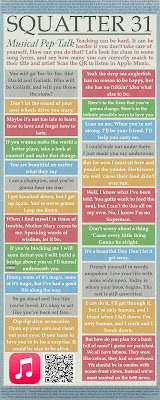
Teaching... or life in general... can be hard. Sometimes you need to find inspiration to keep moving forward. As a musician, I often find my inspiration to hold it together (or go ahead and fall apart... that's okay sometimes too) in the lyrics of a song. With that in mind, Squatter 31 is all about song lyrics that can help you through it... whatever "it" is. There is a QR code to an Apple Music playlist at the bottom if you'd like to hear them all. Drop a comment and let me know your favorite song, or if you need help identifying one. I present to you, Squatter 31 - Musical Pep-Talk. As usual, click on the image below for a full resolution PDF of Squatter 31!
Squatter 30 - Rivals
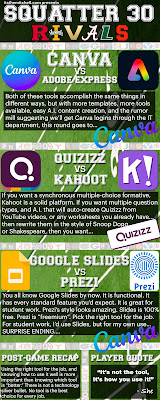
The idea for Squatter 30 was given to me during a session I was presenting about graphic design. We were discussing where ideas and inspiration can come from, and someone suggested making a football rival themed Squatter. I thought it was a great idea, and this is the result. I give you Squatter 30 - Rivals! As usual, click the image below for a full resolution PDF of Squatter 30!
Squatter 29 - This Is Hallomeme

Wow. Three Squatters behind. It really has been a while. I'll save the normal content, and just get to the Squatting. Squatter 29 - This is Hallomeme is all about staying vigilant against Phishing attacks. Another meme based Squatter, hopefully you catch on to some of the humor while learning important information. As usual, click on the link below for a full resolution PDF of Squatter 29.
Squatter 28 - What Has AI Done For Me Lately?

Welcome back, I’ve missed you. It’s been a minute. We’re getting back in the routine. It’s definitely time for a new Squatter. Common adoption of AI is hitting more and more areas of our daily lives. For teachers, these AI tools are becoming more powerful by the day. Want a tool that takes a grade level, lesson theme, and a passage of text, and uses that to generate learning targets and questions for export to your favorite platforms? You got it. Anyway, you’re not here for this… you’re here for Squatter 28. Here you go! As always, click for a full-sized, printable pdf.
Squatter 27 - ChatGPT Has You

There's been a TON of posts and information hitting the internet about ChatGPT lately, especially as it pertains to education. I've seen so many people taking the Chicken Little approach to AI in the classroom. You know, "The Sky Is Falling!!" Students will be cheating, and we'll never be able to know. Students won't learn any more, they'll just use AI to complete the assignments for the grade. Students won't be able to think or learn any more! Those are definitely thoughts. I understand why you might have those thoughts. Let's try to be a little more pro-active here. FYI - by pro-active, I definitely do NOT mean to have your IT department block ChatGPT. I mean get ahead of this thing. 1. Yes, students will try to use this technology to cheat. AI "detectors" came online almost as quickly as we found out about ChatGPT. They're not reliable enough for a student to be written up. When it comes right down to it, you should know your stud...
Squatter 26 - EduProtocols 2

And we're back with four more EduProtocols. I've been very behind on this blog. I've actually already rolled out Squatter 27 in my building. Anyway, Squatter 26 is a few more EduProtocols you can use in your classroom. Think "Lesson Framework, Just Add Content" and you've got the idea. Take a look! As always, click for a printable PDF version.
Shark Tank 3.16.2023
Innovative Educators of Bryan County Middle High School, Are you driven to make a difference? Do you have the skills required to stand head and shoulders above the rest? When opportunity knocks, do you answer? Are you a contender? ARE YOU ELITE? Show it. Opportunity is knocking. Five minutes. Show them you're driven to make a difference. Show them your skills. Show them you're Elite. Want to know how? Select a paid EdTech tool you would like to be considered by the Sharks. (Examples include, but are not limited to Floop, BreakoutEDU, Plickers, Parlay, Nearpod, PearDeck, Wacom drawing tablet, etc.) Complete the Intent to Enter the Water form. ( https://forms.gle/ozMPvTDo88cgchyU7 ) Create a presentation, and explain why BCMHS needs to fund your chosen EdTech tool. That's it. It's really as easy as 1. 2. 3. Want to know more? Rules? Okay. Here's the lowdown. You may present alone, or as a part of a team. Target presentation length is five minutes. Following the pres...
AI Today
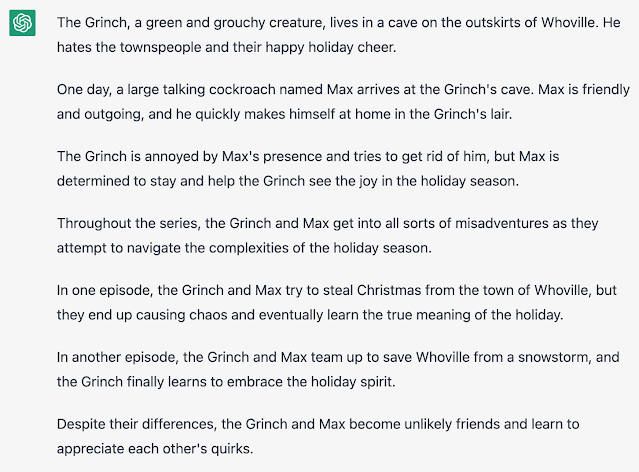
I wanted to take a minute to remind everyone that AI is not a future concept. It is here today. Over the holiday season, make some time to play on the website openai.com. It can write, chat, and create images based on prompts from users. It’s really good. Your students know may know about this. They may already be passing off AI writing as their own. Want to know how good it is? Here’s a couple examples. I told openAI to write a script for a sitcom featuring the grinch and a large talking cockroach. This is its response. Up next, I asked openAI If George Washington ran for President of the USA today, would he win the election. ELA Teachers, you can use this to your advantage. I asked for five writing prompts for seventh grade students about holiday adventures. This is what I got. Math teachers, I didn’t leave you out either. I asked for five word problems that require multi-step equations to solve. Moving on to images, I asked for a cell-shaded image of an as...
Thin Slides - EduProtocols

Recently, I dropped Squatter 25. If you missed it, find it HERE . The two EduProtocols I covered on Squatter 25 are the Frayer Model, and Thin Slides. I know many of the educators I work with are already familiar with the Frayer Model, but I didn't think anyone had used Thin Slides before... so I made a relatively quick 6 minute video that not only explains the idea behind the Thin Slides EduProtocol, but also sets up a Google Slides template that you can can copy for yourself. Click HERE to make a copy of the template for yourself, and watch the video below to see what it's all about. Happy Thin Sliding!
Squatter 25 - Eduprotocols Introduction

It's squatter time again! This time we're kicking off a series on Eduprotocols. If you're unfamiliar with Eduprotocols, they are ready-made lesson frameworks. Plug in your content, and you've got a lesson ready to go. The book series was written by Marlena Hebern and Jon Corippo, and are all available on Amazon... or where ever you buy books. Anyway, this Squatter is a little light on content, but look for Squatter 26, 27, and 28 (at least) to contain more great lesson frameworks from the Eduprotocols book series. As always, click on the image below for a PDF version.
Block Certain Sites with Classwize
Ever have students (or entire classes) wandering off to websites you don't want them visiting? Maybe it's just one student that's using Gmail during your class to send messages to friends in other classes. Block it! Here's how you create a rule to do just that with Classwize!
Remove Objects from Pictures with theinpaint.com
It's been a minute. I can't say much right now, but I've found some new quick tech tools you might find helpful. Take a look at theinpaint.com. Theinpaint.com allows you to remove objects from images. It's web based, and offers an installed version. Honestly, I've only used the web based version. It suits all my needs just fine. Want to remove annoying things from your pictures. Unwanted people from the background of your vacation pictures? Clutter from your office desk? That sock on the floor of an otherwise pristine hotel room? Your annoying little brother from family pictures? Theinpaint can do most of that. Take a look!
Squatter 21 - Protect Yourself

Wow. I was preparing a Google Classroom full of resources, and noticed I never did a full release of Squatter 21. Anyway, I'll be the first to admit. I'm not a cybersecurity expert. I don't even like the prefix "cyber." It makes me think of people from the 80's trying to sound smarter than they really are. Anyway, here's some tips. Most of them are solid, reliable tips you can use (along with a little common sense) to keep yourself safe online. When it comes right down to it, thieves are going after the easiest targets out there. Don't be low hanging fruit.
Squatter 24 - Cognitive Bias vol.2

Yep. More cognitive biases. In this day and age, it is more important than ever to make sure you are aware of potential bias in an effort to seek the truth, rather than what your brain wants to be the truth. Yes, sometimes those are two different things. For example, find a clock with a second hand that ticks. Look at it. Close your eyes. Count to 15. Look at the clock again. Many of you are now asking yourself, why did it take the second hand so long to move right after I opened my eyes. Here's the thing. It didn't take longer. It was the same time as every other second that clock ticks. That seemingly extra long second was your brain's way of interpreting what was going on. Your brain processes big chunks first, and small details later. Your brain can fool you. Isn't that nice? What's even better is that you'll believe it. Anyway, Here's Squatter 24. Click the image below for a full sized PDF.
Squatter 23 - Cognitive Bias

Ever thought you were right? So right you couldn't possibly be wrong? So right you convinced other people they were wrong? So right you had some serious crow to eat once you figured out you had been mistaken all along? It probably had something to do with common cognitive biases we all have. Cognitive bias is an error in your thinking caused by... well, many things. Take a look at Squatter 23 to learn a bit more about cognitive biases so you can identify them when they happen. Click the image below for a full-sized PDF of Squatter 23.